A private photo vault
with your own PIN
Keep photos, videos and documents in local folders on your iPhone or iPad. Your own PIN, no app account and no ads. Import and export are free.

Built for how you actually use your phone
Not a file manager pretending to be a vault. A real gallery with real gestures — that happens to be locked down.
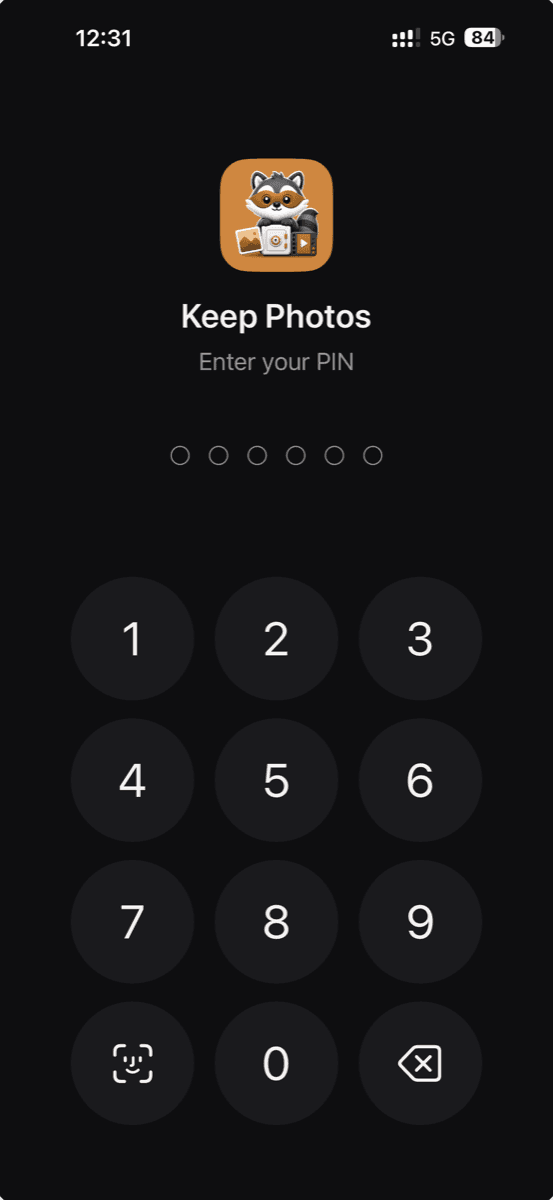
Face ID or PIN — your call
Unlock with Face ID, Touch ID, or your six-digit PIN. Failed attempts trigger exponential delays — three wrong tries and the wait begins. Forget the PIN and the vault is sealed forever.
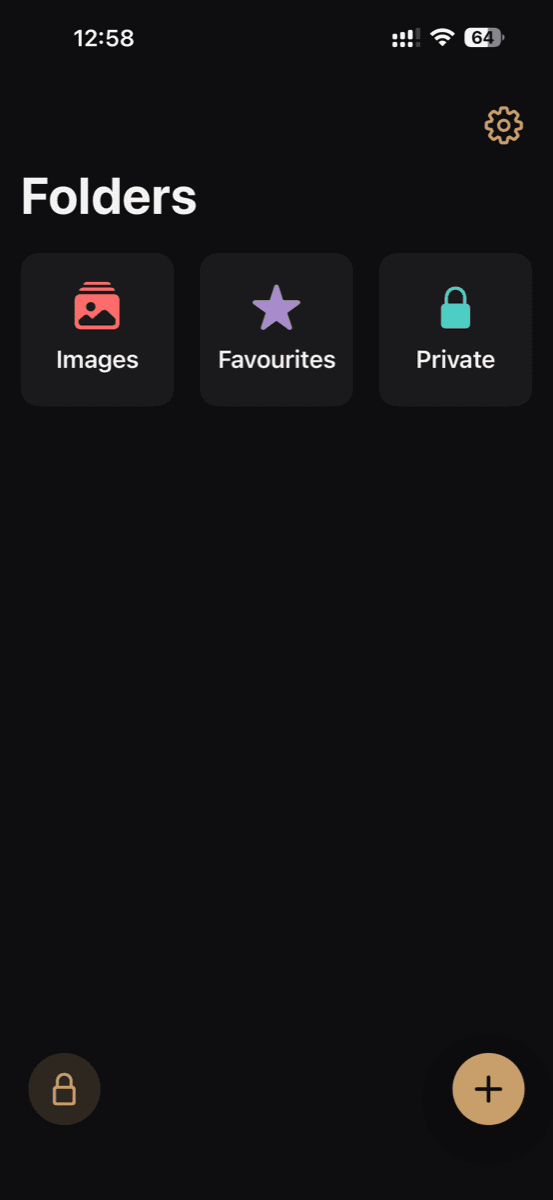
Your vault, your folders
Create folders, pick an icon, choose a tint. Images, Favourites, Private — or whatever makes sense to you. Everything stays sorted the way you left it.
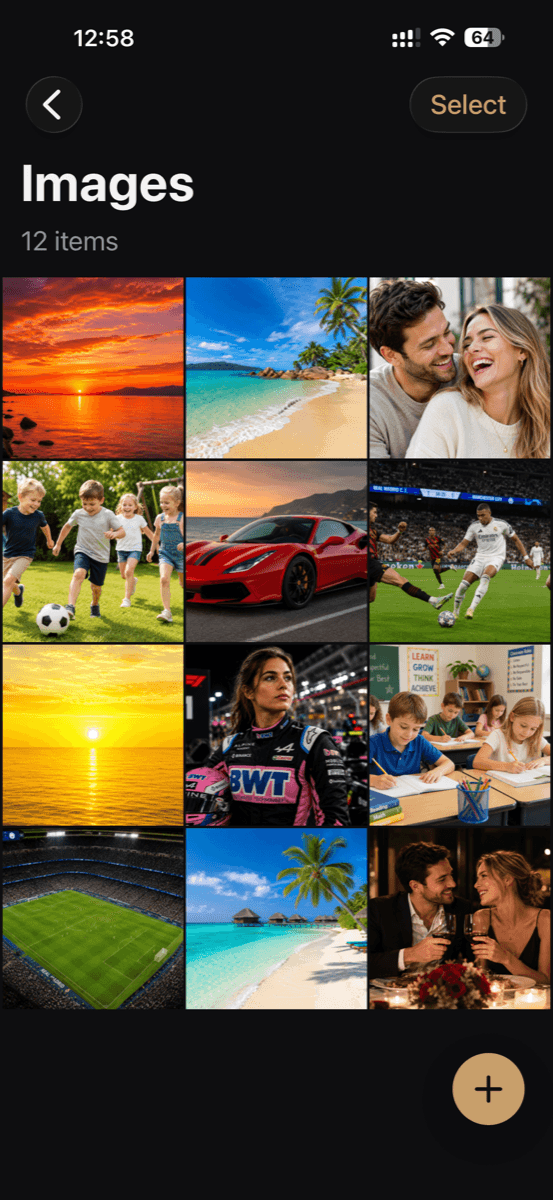
A gallery that feels native
Pinch to zoom, swipe to page, drag down to dismiss. Videos play only when you tap — no autoplay, no wasted memory. It works the way Photos.app taught you.
Go further with Pro.
Disguise the app, capture intruders, and hide a decoy vault behind a second PIN.
Break-in Capture
With camera permission, the front camera can capture a photo after repeated incorrect PIN entries. Review the photo and timestamp in the local Intruder Log. iOS camera privacy indicators may be visible.
Alternate Icons
Choose an alternate app icon in Settings to change how Keep Photos looks on your home screen. Pro includes the alternate icon choices.
Face-Down Lock
Set the phone face-down on a table and the vault locks itself instantly. No fumbling for the lock button when someone walks over. Pick it back up, enter your PIN, carry on.
Panic PIN
A second PIN that opens a separate, empty-by-default vault. If someone pressures you to unlock, enter the panic PIN — they see a decoy. Your real vault stays sealed behind the real PIN.
The vault, folders, photo viewer, import, export, and 30-day Trash are completely free — no trial, no subscription. Pro unlocks the features above.
Privacy isn't a setting.
It's the architecture.
Keep photos, videos and documents in a local vault on your device. No app account required.
- No sign-up. No email. No password reset. No magic link. Nothing.
- The vault works offline. Apple verifies purchases online. The app uses PostHog for limited usage analytics after the in-app notice; vault content and security activity are excluded. See the Privacy Policy.
- We cannot view your vault content. Photos, videos and documents are excluded from product analytics.
- Forget your PIN and the vault is sealed forever. That's the trade-off.
- Export copies you want to keep to Photos, Files or AirDrop before changing devices or removing the app.
What we don't do
Current vault protection uses the app’s access controls, iOS sandbox and iOS Data Protection. See the Privacy Policy for details.
Common questions
Straight answers — no marketing speak.
What happens if I forget my PIN?
We cannot reset a forgotten PIN or recover your vault for you. Keep your PIN safe and export anything you need to preserve to Photos, Files or AirDrop.
Does the app connect to the internet?
The vault works offline. Apple verifies purchases online. The app uses PostHog for limited usage analytics after the in-app notice; vault content and security activity are excluded. See the Privacy Policy.
Can I disguise the app on my home screen?
Yes. Pro includes alternate app icons, which you can choose in Settings. Changing the icon does not turn the app into a functioning calculator or hide it from every system view.
How does the decoy vault work?
You set up a second PIN — the panic PIN. If someone forces you to unlock, enter that PIN instead. They'll see a separate vault that's empty by default. Your real photos stay sealed behind your real PIN. Switching always requires locking and re-entering a PIN — there's no in-app toggle.
Can I move my vault to a new phone?
Export the folders you want to keep to Photos, Files or AirDrop, verify the exported copies, then import them on your new device. Keep the old vault until you have checked the new one. Keychain credential sync does not transfer or restore vault files.
What iPhones does it work on?
Any iPhone running iOS 18 or later.
Compare photo vaults
Understand the free features, local storage and backup trade-offs before choosing a vault. These comparisons are published by the developer of Keep Photos.
Keep Photos vs Keepsafe on iPhone
Looking for a Keepsafe alternative? Compare Keep Photos on local storage, free features, backup, a separate PIN and optional Pro tools for iPhone.
Keep Photos vs Private Photo Vault – Pic Safe
Compare Keep Photos with Private Photo Vault – Pic Safe on iPhone: local storage, free export, backup, PIN access and actual file protection.
Apple's Hidden album or a separate photo vault?
Understand Apple's locked Hidden album and when a separate iPhone photo vault with its own PIN, folders and an optional decoy may be useful.